 Jesse Befus
A passkey lets you sign in by proving you have the right digital key, usually after unlocking your phone, computer, or security key.
You do not have to invent a password, remember it, or type it into the website. The familiar part is the action you take: a face check, fingerprint, or local PIN. The important change is what happens behind it.
Think of a digital key made for one service
When you create a passkey, the system creates two mathematically related parts. The private part is protected by your authenticator or credential manager. The service stores the public part, which it can use to check a proof from your private key.
The public part cannot be used to sign in on its own. Your private key is not sent to the website during authentication. Instead, your device produces a fresh proof that the service can verify.
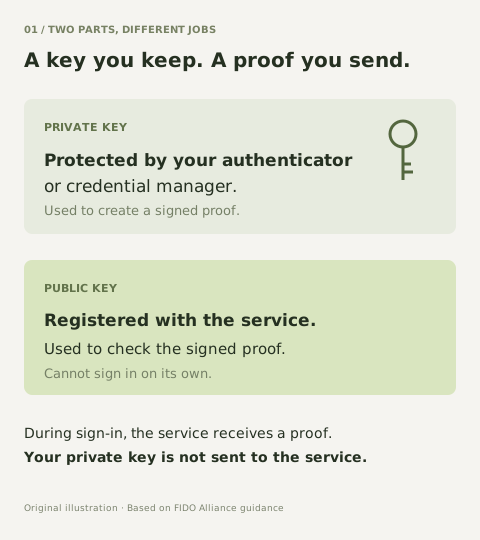
A useful way to think about it is a key that can demonstrate it fits the right lock without handing over the key itself. That is an analogy; the actual process uses mathematics.
What you see when you sign in
Choose the passkey for your account and approve its use with your device’s normal unlock method. The browser, operating system, and authenticator handle the exchange with the service.
Your face or fingerprint is used locally to authorize the key. The site does not receive your biometric data as part of the FIDO sign-in. A PIN can serve the same local activation purpose; it is not a new password being sent to the website.
Why a lookalike page cannot use it
A fake page can invite you to type a real password. Passkey authentication is bound to the legitimate service. In the normal WebAuthn flow, a lookalike domain cannot request the credential for that service or produce a valid sign-in for it.
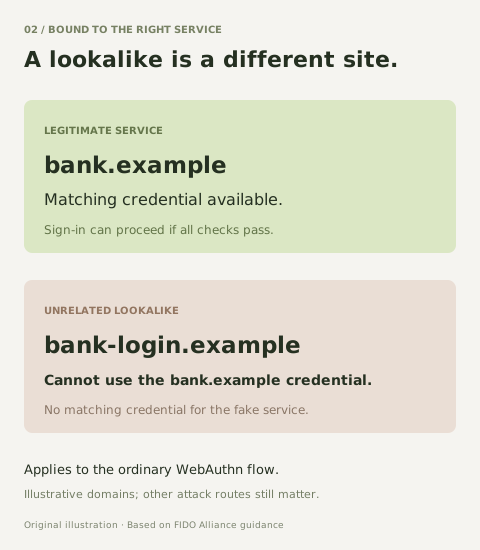
This is why passkeys can improve security while making the user’s part simpler. The system enforces a boundary that people using passwords have often been asked to recognize for themselves.
Under the hood: a public-key credential
FIDO passkeys build on public-key cryptography. For web applications, WebAuthn provides the browser API for creating and using a credential scoped to a relying party, the service requesting authentication.
During registration, a credential key pair is created. The relying party associates the public key and credential identifier with the account. The private key remains under the authenticator or credential manager’s protection.
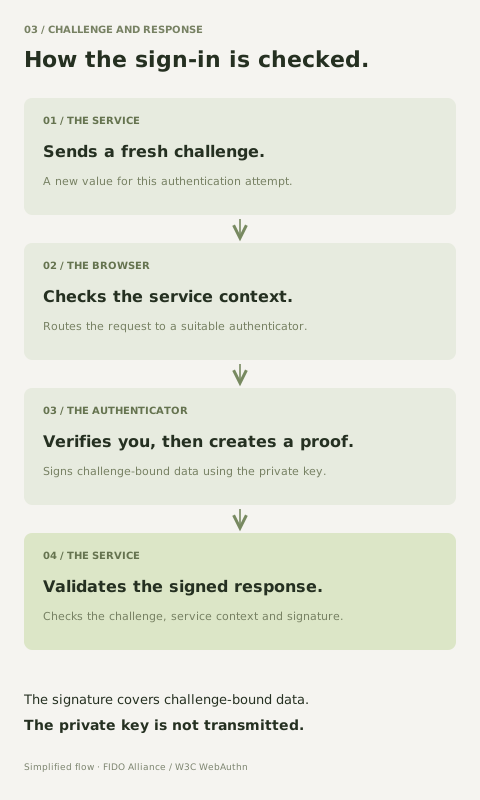
During authentication, the service supplies a fresh challenge. The authenticator signs data that binds the response to the challenge and service context. The relying party validates the challenge, expected origin, relying-party ID, signature, and required user-presence or verification flags.
The response signs authenticator data together with a hash of the client data. It is not simply an encrypted password, and the private key is not shared with the relying party. The protocol details and verification rules are defined in the linked WebAuthn specification.
Synced or device-bound?
A synced passkey can be made available across devices through a credential manager. A device-bound passkey stays on the authenticator where it was created. Both can be phishing-resistant. Their portability, key protection, and recovery arrangements differ.
For higher-assurance uses, the choice needs to account for the device, the credential provider, required verification, and how access is recovered. User verification is an important part of treating a passkey sign-in as multifactor authentication.
The question I would ask before rollout
What happens when the legitimate person loses access to the device or credential manager? Plan that recovery, protect weaker fallback routes, and test the experience with real users. Passkeys improve authentication; they do not make device compromise, session theft, or account recovery disappear.
FIDO Alliance’s Passkey Central is the primary reference for the explanations here. The illustrations are original, simplified summaries; the standards remain the reference for implementation.
References & further reading
Primary guidance for the concepts and controls discussed here.
- FIDO Alliance, Passkey Central: How Passkeys Work ↗Registration, sign-in, challenge-response, and the separation of public and private keys.
- FIDO Alliance, Passkey Central: Passkey Security ↗Domain-bound authentication and protection against phishing and stolen server-side credentials.
- FIDO Alliance, Passkey Central: Passkey Types ↗How synced and device-bound passkeys differ in storage, portability, and use.
- W3C Web Authentication Level 2 ↗The underlying browser API, credential registration, assertions, and relying-party verification.
- NIST SP 800-63B-4: Authentication and Authenticator Management ↗Authenticator lifecycle, recovery, phishing resistance, and assurance requirements.