 Jesse Befus
Passkeys change the attacker’s job. A convincing sign-in page is no longer enough to collect a credential that works at the real service.
That is the reason I want to see them adopted broadly. We have asked people to distinguish legitimate sign-in pages from increasingly convincing imitations, often while they are busy and trying to get something done. Passkeys put an important part of that decision into the authentication protocol.
Supporting passkeys does not, by itself, make an account phishing-resistant. We also need to secure the other ways someone can sign in or recover access.
What an attacker loses
With passwords and typed one-time codes, an attacker can operate a lookalike page and relay what the person enters to the legitimate service. Completing a second step does not necessarily stop that exchange. In a successful adversary-in-the-middle attack, the attacker may also obtain the resulting session.
A correctly implemented WebAuthn passkey sign-in is bound to the relying party, the service requesting authentication. The browser constrains which credential can be used; the service verifies the expected origin and other authentication data. An unrelated lookalike cannot simply relay a typed secret, because there is no typed secret to relay.
The service receives a fresh cryptographic proof. It does not receive the private key. Stealing the public-key credential records from its database does not give an attacker the private keys needed to sign in. That claim is about stolen credential records; a wider server compromise can still affect the application and its accounts.
Those are substantial changes to the attack, rather than small improvements in how carefully a person signs in. The Canadian Centre for Cyber Security’s guidance on adversary-in-the-middle campaigns makes a clear case for phishing-resistant MFA. Passkeys are an important way to deliver it.
“MFA” does not tell you which attack it stops
An app-generated code can be stronger than relying on a phone number, and a hardware OTP token can protect its secret well. Both still produce a code that someone can enter into the wrong page. Number matching helps with unwanted push approvals, but does not supply WebAuthn’s binding to the service.
This is why I would ask what the method resists before asking how many factors it uses. The comparison below rates common designs against remote phishing and credential theft. The tiers are an editorial assessment, not measured attack rates or NIST assurance levels. They do not rank the whole account.

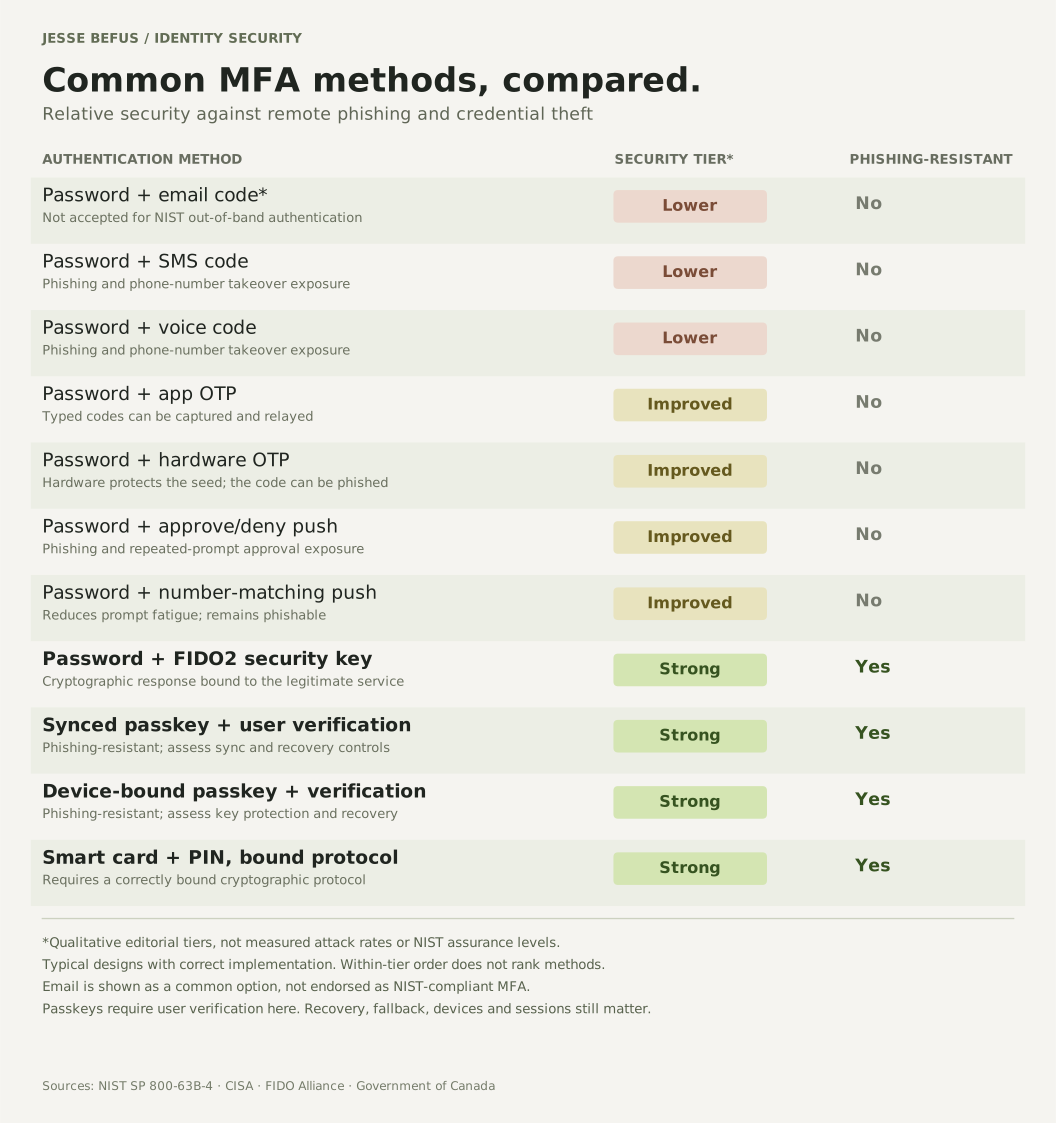
Text comparison and rating criteria
Lower: phone- or mailbox-dependent codes. Improved: OTP or push methods that still permit phishing; number matching reduces prompt-fatigue exposure. Strong: cryptographic authentication bound to the legitimate service. These are editorial tiers for the specified threats, not formal assurance ratings. Recovery, device security, implementation, and fallback can change the overall result.
| Method | Security tier | Phishing-resistant |
|---|---|---|
| Password + email code* | Lower | No |
| Password + SMS code | Lower | No |
| Password + voice code | Lower | No |
| Password + app OTP | Improved | No |
| Password + hardware OTP | Improved | No |
| Password + approve/deny push | Improved | No |
| Password + number-matching push | Improved | No |
| Password + FIDO2 security key | Strong | Yes |
| Synced passkey + user verification | Strong | Yes |
| Device-bound passkey + verification | Strong | Yes |
| Smart card + PIN, bound protocol | Strong | Yes |
I often explain part of the appeal this way: “It’s hard to give someone your face or fingerprint over the phone.” A caller can persuade someone to read out a code. With a passkey, the familiar action is a local face check, fingerprint, or PIN that authorizes use of a key, rather than a secret to dictate to someone else.
The biometric stays on the device in the FIDO authentication flow. The service receives a cryptographic proof, not your face or fingerprint. The security comes from the protected key and its binding to the service, with local user verification. Biometrics alone do not make every authentication process phishing-resistant.
Where multifactor assurance is required, the relying party must require user verification and check that it occurred. A touch establishing user presence alone is not the same thing. A person can still be deceived into approving an action in a legitimate service, so we need to be precise about the protection we are describing.
Synced and device-bound solve different problems
Both can be phishing-resistant. They differ in where the private key can exist and how a legitimate person regains access.
Synced passkeys let a credential manager make a credential available across a person’s devices. That can make adoption and device replacement much more practical. It also makes the provider’s account protection, device enrollment, and recovery arrangements part of the trust decision.
Device-bound credentials remain on their authenticator. They can be appropriate where the organization needs tighter control over credential custody. That brings an operational obligation: issue another approved authenticator or establish a recovery route before the first one is lost.
Device-bound does not, by itself, establish hardware protection or a formal assurance level. NIST SP 800-63B-4 permits suitably configured syncable authenticators at AAL2. AAL3 requires a non-exportable private key and additional requirements. A passkey label alone proves neither.
For broad client access, I would favour an approach people can reliably use across the devices they have. For privileged workforce access, I would evaluate managed, hardware-backed credentials and enforce the authenticator policy the role needs. Attestation and FIDO metadata can support that policy where available. The choice should follow the risk and operating requirements.
The attacker will use another way in
Imagine an account with an excellent passkey sign-in and an alternative that accepts a password and SMS code. An attacker does not have to defeat the passkey if that alternative gives them sufficient access.
Adding passkeys still benefits people who use them. It does not justify claiming that the account can only be accessed through phishing-resistant authentication. FIDO’s guidance on preventing phishing makes this distinction important as organizations move from offering passkeys toward enforcing stronger access.
Recovery needs the same attention. Suppose someone persuades support that they have lost their phone and gets a new credential registered. The next sign-in may use a perfectly valid passkey, but it belongs to the attacker. The cryptography has done its job; the recovery process admitted the wrong person.
I would secure new-credential registration as carefully as sign-in: appropriate verification of the existing account holder, protection against forged registration requests, notification of changes, and a way to remove credentials that should no longer be trusted. For sensitive accounts, unexpected recovery or enrollment events should be investigated.
Sessions are another boundary. Passkeys protect the authentication exchange. They do not automatically protect a session cookie already stolen from a compromised endpoint. Session handling, device protection, reauthentication for consequential actions, and the ability to revoke sessions remain necessary.
Nor does a successful sign-in approve every action afterward. A valid user session can still be abused, and a person can still be deceived into making a harmful transaction. Authentication and authorization need to do their own jobs.
Get the implementation details right
I would use a maintained WebAuthn library and insist on verification of the challenge, expected origin, relying-party ID, signature, and required flags. Challenges need to be fresh, bound to the intended ceremony, and accepted only once. Enrollment must bind the new credential to the right account.
I would also check how the implementation handles backup eligibility, backup state, and signature counters. Synced credentials can have counters that are unsuitable for a simple “counter did not increase, therefore cloned” rule. A counter is a signal with defined protocol semantics, not a universal clone detector.
Those details belong in engineering review and negative testing. Try the wrong origin, a reused challenge, missing required user verification, and an attempt to register a credential through an inadequately protected session. An attractive sign-in screen tells us little about whether those checks work.
Measure protection, not just registrations
I would begin with a supported enrollment and recovery experience, tested on the devices people actually use. Include device loss, a replacement phone, accessibility needs, and a person who cannot use the preferred method. Support teams need a safe way to help them.
Then decide which weaker routes can be retired, for which accounts, and what evidence is needed before doing it. Privileged access and high-risk actions may warrant earlier enforcement. A broad client rollout needs a plan that improves protection without stranding legitimate people.
The measures I care about are successful passkey use, remaining access through weaker methods, recovery abuse, account takeover, and support effort. A large registration count alongside routine password fallback can make the rollout look further ahead than it is.
The direction I advocate is clear: make phishing-resistant authentication the normal path, and deliberately reduce the alternatives an attacker can exploit. Keep the experience dependable enough that people stay on that path.
The strongest passkey deployment changes more than the sign-in screen. It changes how an account can be taken over.
References & further reading
Primary guidance for the concepts and controls discussed here.
- FIDO Alliance, Passkey Central: Passkey Security ↗Phishing resistance, server-side public-key records, user verification, and authenticator policy.
- FIDO Alliance, Passkey Central: How Passkeys Work ↗Registration and authentication using public-key credentials and fresh signed proofs.
- FIDO Alliance, Passkey Central: Passkey Types ↗Synced and device-bound credentials, credential managers, and portability.
- FIDO Alliance, Passkey Central: Full Prevention ↗Why offering passkeys differs from preventing access through weaker authentication and recovery routes.
- FIDO Alliance, Passkey Central: Plan Your Rollout ↗Deployment approaches and planning the user journeys around adoption.
- W3C Web Authentication Level 3 ↗Registration and assertion verification, user-verification and backup flags, and signature-counter semantics. W3C Recommendation, August 25, 2026.
- NIST SP 800-63B-4: Authentication and Authenticator Management ↗Assurance requirements, syncable versus non-exportable keys, and session security.
- Canadian Centre for Cyber Security: Defending Against Adversary-in-the-Middle Threats (ITSM.30.031) ↗Canadian observations of proxy-based phishing and the case for phishing-resistant MFA.
- Canadian Centre for Cyber Security: Security Considerations for Passkeys (ITSAP.30.033) ↗Implementation, endpoint, session, and alternative-login considerations around deployment.
- CISA: Phishing-Resistant MFA and Number Matching ↗Why number matching is an interim improvement while migrating to phishing-resistant MFA.