Imagine starting a new job and getting access to the tools you need without someone having to work through a long list of individual permissions. That’s the idea behind role-based access control, usually shortened to RBAC.
The idea is surprisingly simple
Instead of asking “What should Alex be allowed to do?” for every application, folder and system, you ask “What does this role need to do?” You give that role the appropriate permissions. Then you assign people to the role.
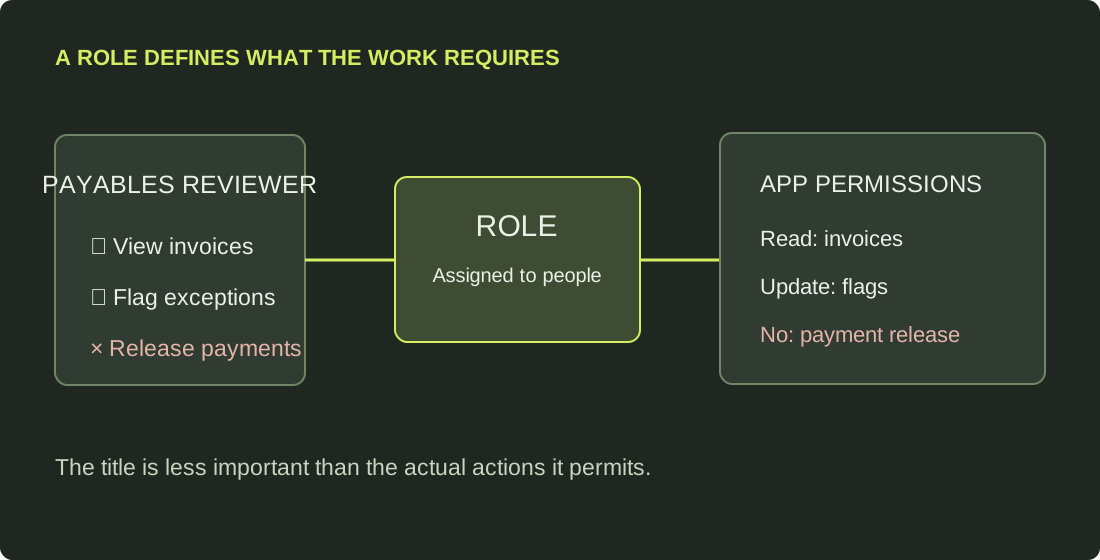
For example, a payables reviewer might need to see invoices and flag problems, but not release payments. A payment approver needs a different set of permissions. The system checks the person’s assigned role before letting them perform an action.
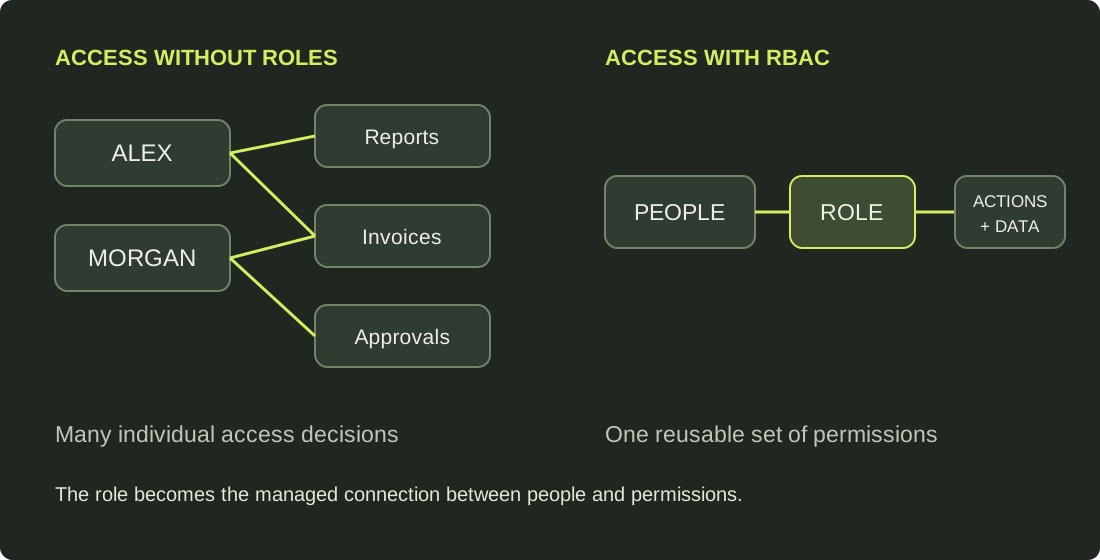
That middle layer matters. People join, change jobs and leave. The work itself tends to change less often. Defining access around work gives us something repeatable to manage.
Why bother?
Less guesswork when someone joins. A well-defined role gives a new team member a sensible starting point. There may still be exceptions, but every request no longer needs to be invented from scratch.
Cleaner access when people move. If someone switches from reviewing invoices to approving payments, we can remove the old role and assign the new one. That’s easier to reason about than chasing permissions scattered across multiple systems.
Better reviews. A manager can answer “Should this person be a payment approver?” more confidently than “Should they retain these 63 technical permissions?”
More predictable boundaries. Roles help us express which activities belong together and which should be separated, such as entering a payment and authorizing its release.
None of this happens automatically. A badly designed role can grant far too much access. RBAC gives us a useful structure, not a guarantee that we got the decisions right.
RBAC, ABAC, and a few other acronyms
RBAC, role-based access control: What can your assigned role do? Example: an invoice reviewer can read invoices.
ABAC, attribute-based access control: What do the attributes of the person, resource, action and environment tell us? Example: a reviewer can see invoices for their assigned region and only under the relevant policy conditions.
ACL, access control list: Who or what is explicitly allowed to access this particular resource? Example: this folder grants one group read access and another group write access.
PBAC, policy-based access control: Permissions are decided by evaluating centrally defined policies. It’s a broad term, often overlapping with ABAC, rather than a universally distinct alternative.
These approaches aren’t mutually exclusive. RBAC might grant someone a general capability, while an attribute-based policy narrows which records they can use it on. An underlying application may still enforce those decisions through ACLs or its own permission model.
One distinction worth remembering
Authentication answers who are you? Authorization answers what are you allowed to do? RBAC lives in that second question. Signing in with a passkey or MFA doesn’t tell an application whether you should approve a payment.
I like RBAC because it forces a useful conversation about the work before we talk about the technology. What does someone actually need to accomplish? Who should be able to approve it? And what should they definitely not be able to do?
The concept fits on a diagram. The difficult part is deciding what goes inside each role, especially when the application or file system wasn’t designed with clean boundaries in mind.