 Jesse Befus
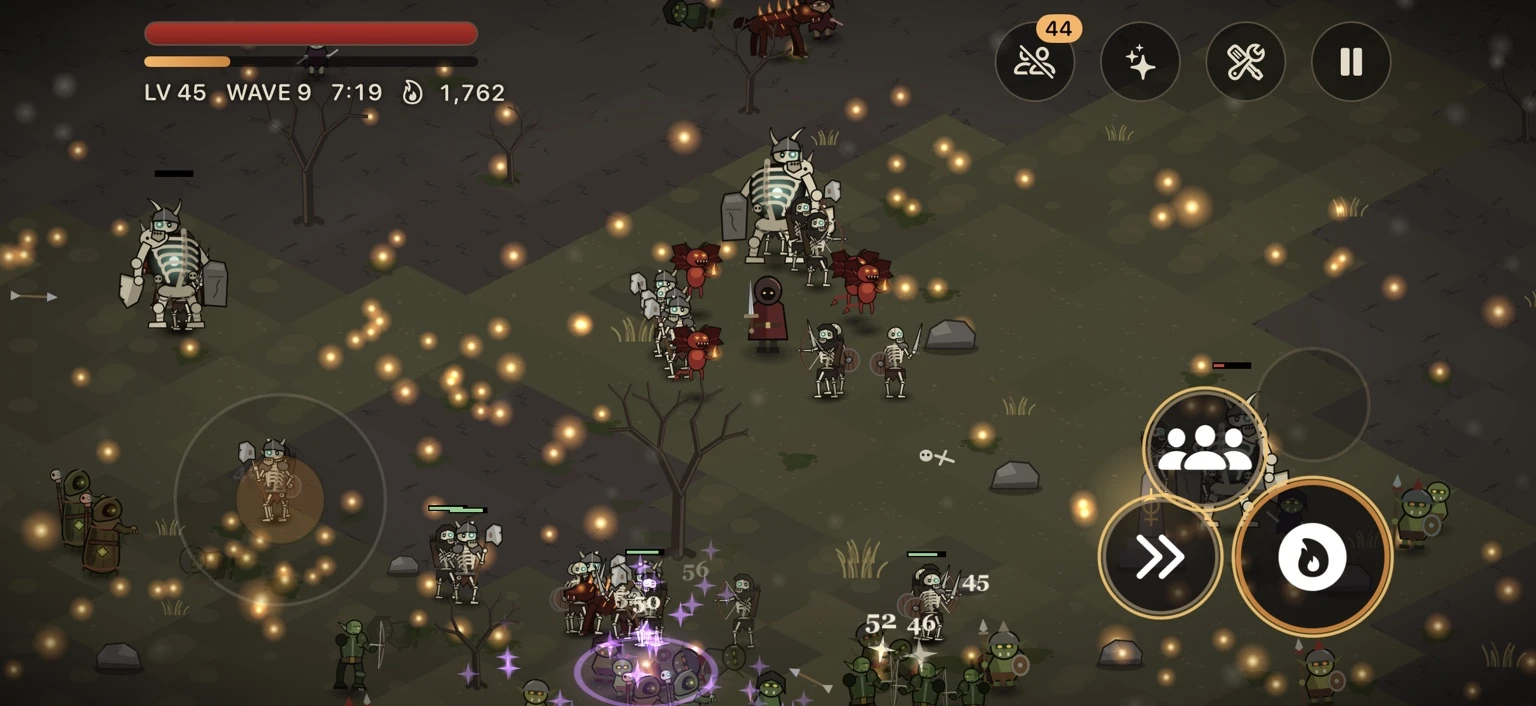
I wanted to add co-op to Fate Lost: two to four friends playing against the same horde. I also wanted to keep the operating costs low. I’m building this through a small studio, and taking on a monthly server bill before knowing how much people would use the feature didn’t appeal to me.
The backend runs on Cloudflare Workers and Durable Objects, and at its current scale it fits within the free plan. I got there by keeping the game simulation on a player’s phone and giving the backend a smaller job: managing the room and passing messages between players.
Here’s how I put it together, what went wrong along the way, and why I’m comfortable with the compromises for this particular game.
Why I chose a host-based design
A dedicated, authoritative game server could simulate the fight and send the results to every player. That gives the developer more control over the rules and reduces how much trust has to be placed in players’ devices. It also means running that simulation somewhere other than the phone.
Fate Lost already has 231 skills, 64 relics, a data-driven effect system, and bosses with multiple phases. I didn’t want to port all of that to a backend and then maintain both versions. For friends playing together in a private room, I could get what I wanted with one phone hosting the fight.
Deterministic lockstep was another option. Every device would simulate the same fight from the same inputs. That brings its own demands: consistent ordering, random numbers, timing, and numerical behaviour across devices. I chose a host-authoritative design instead.
| Where | What it does |
|---|---|
| Host’s phone | Simulates the heroes, enemies, waves, loot and revives. Decides the gameplay outcome. |
| Cloudflare room | Manages membership, hosting, readiness, optional passwords and the lobby lifecycle. Validates message envelopes and relays gameplay traffic. |
| Guests’ phones | Send player input, apply the host’s updates and render the fight. Predict local movement to keep controls responsive. |
The guests use the same engine structures, renderers, HUD and skill tree as solo play. They apply the host’s updates rather than advancing the fight simulation themselves. Local movement prediction keeps the controls responsive. That saved me from maintaining a second multiplayer client.
Rooms and lobbies
Each party gets a Durable Object, an addressable instance of backend code with its own storage. The phones connect to it over WebSockets.
During a run, the room checks who sent a frame, its size, type and rate. It reads enough of the message envelope to route the contents to the right players. The host handles damage, enemies, loot and everything else happening in the fight.
When a run finishes, you all return to the same lobby. Same friends, same code. I wanted you to be able to play again without somebody having to create another room and send another invitation.
The room is cleaned up when the host closes it, everyone leaves, or it has been abandoned for 30 minutes. I set that timeout in the game’s backend.
Hibernation
A lobby can sit idle for quite a while between runs. I didn’t want an open connection to keep the backend active the entire time.
The rooms use WebSocket hibernation. An eligible idle object can leave memory while its clients remain connected. Protocol ping/pong frames are handled by Cloudflare without waking the room. Application messages are different: they wake it unless a suitable runtime auto-response has been configured.
I use a scheduled alarm for cleanup and avoid repeating timers in the lobby. The object can lose its in-memory state while hibernating, so the state it needs when it wakes has to be recoverable.
During a fight, the incoming updates wake the object and use the compute allowance. Hibernation saves usage while the room is idle.
Message batching
The host sends one batch 15 times a second. It contains the guests’ snapshots, events and personal stats. The room splits that envelope and sends each guest their part. Adding another guest increases the data in the batch, without adding a separate host message for every recipient.
Guests send joystick changes when needed, with periodic updates while moving and fewer while idle. Button presses go out immediately. I could cut a lot of messages this way without making you wait to use an ability.
15 messages per second × 3,600 seconds = 54,000 incoming messages.
At Cloudflare’s 20:1 billing ratio, that represents 2,700 Durable Object request units.
Cloudflare’s current pricing includes 100,000 Durable Object request units per day. Incoming WebSocket messages use that 20:1 ratio; outgoing messages are not charged as requests. Connections and alarms also count. Duration and storage have separate allowances, and Workers have their own limits.
My message-budget estimates improved from roughly 4–5 to 7–25 aggregate party-hours a day after batching, depending on party size and input frequency. Those are estimates across the backend, not an allowance for every family or a guarantee of capacity. Active duration, storage, staging and other account usage can constrain it too. On the free plan, exhausted allowances can cause operations to fail.
The bill is zero at current usage. I still need to watch the account’s limits and move to a paid plan if demand grows beyond them.
Movement and reconnects
By the time an update reaches a guest, it has travelled from the host through Cloudflare. If I waited for that update before moving your hero, you would feel the delay every time you touched the joystick.
Your phone predicts your movement immediately. The host accepts the reported position if it is within 1.6 tiles of where it expects you to be. That gives the devices some room to disagree without constantly snapping your hero back. It is a responsiveness compromise, with limited protection against invalid movement.
Enemies and summons are eased toward new positions. Projectiles advance between updates, and cooldowns count down locally. The host remains responsible for the gameplay outcome while the guest keeps the presentation moving.
The snapshots are compact, too. Positions use sixteenths of a tile, angles fit into a byte, and health is represented as a fraction. A large late-game fight is around 5 KB per snapshot in my testing.
Reconnecting needed just as much attention. People walk out of Wi-Fi range, take a call, or put the app in the background. The client retries with exponential backoff and jitter. A room credential identifies the seat rather than the socket, so a reconnect can replace the old connection instead of creating another hero.
Joining without an account
You don’t need an account or an email address to play Fate Lost. I wanted joining a friend’s game to stay simple.
On first launch, the phone generates a 256-bit random seed and keeps it in the iOS Keychain. That seed stays on the device. A hash-derived Fate ID, such as FL-8K4P-72QM, provides a troubleshooting reference. It does not authenticate the player.
When you join, the room issues a separate credential and stores its hash. Your phone uses that credential to reclaim your seat after a disconnect. It only applies to that room and needs to be kept secret.
Names don’t have to be unique. The phone and backend reject invisible characters and blank-looking names, but neither uses the display name to authenticate a player.
Optional room passwords are salted and hashed, with a temporary lockout after eight wrong guesses. That slows online guessing, though a room-wide lockout can also inconvenience legitimate players. Password protection does not make a short, predictable password strong.
I also tested the cost of password hashing against the runtime budget. There is a trade-off there: the hash needs enough work to resist guessing and still complete reliably. I would evaluate it differently for an account-login system.
A few things I learned the hard way
Too many logs
Two 15-minute test sessions produced around 36,500 log events. I hadn’t expected routine invocation logging to generate that much noise.
I disabled routine invocation logs in production and kept application fault logging. Tests check the logging behaviour. Room codes, names, credentials and passwords stay out of those logs. I still need usage metrics and enough information to diagnose failures; collecting every routine event was not helping me do that.
A cosmetics update broke hosting
A cosmetics update let players restyle their companions. It added nested appearance data, while the server validator still expected flat values. Hosting started failing with hero.companions has an unsupported type.
I had updated the game’s data and forgotten to update what the backend would accept. The validator was doing exactly what I had told it to do.
I updated the validator, tested it, deployed to staging, smoke-tested it, and pushed the fix to production in minutes. No new app build or App Store review was needed for that compatible backend fix. Now, changes to the hero’s data shape travel with the server validation changes in the same commit.
Staging and deployment
There is a separate staging Worker. Changes go through automated tests and a smoke test that creates a real room, joins it, exercises a run, and returns to the lobby before production deployment.
I want the tests to cover what you will actually do: finish a run, play another one, and reconnect when your connection drops. Testing that a socket opens wouldn’t tell me whether any of that works. Rollback is one command, though changes to stored state or client compatibility can make it more complicated.
The trade-offs
The host is trusted with the fight. A modified host app could change the rules. That is an acceptable compromise for invited friends in a game without a public competitive ladder. I would make a different choice for ranked play or outcomes people had a financial stake in.
The host’s phone also does more work. It simulates the whole party, so performance on that device affects everybody. If it disconnects permanently, the run cannot continue. The lobby can transfer hosting, but I have not built mid-run migration of the simulation.
There is no public matchmaking. You invite people by sharing a code, which means I haven’t had to build the matchmaking and moderation features needed to pair strangers. Room membership and password checks still need to hold up.
Cloudflare manages the infrastructure. I’m responsible for the code, deployments, abuse controls and monitoring, including making sure co-op keeps working.
Would I do it this way again?
For Fate Lost, yes. I have private co-op, persistent lobbies, reconnects and a backend I can update quickly. The cost fits the current scale, and the architecture lets me spend more time improving the game.
If you’re considering multiplayer for your own game, I’d work through those choices before committing to a dedicated server. For private co-op, this let me reuse the engine I already had and keep the backend manageable. I’d build something different for a competitive game, but I’m happy with it for Fate Lost.
Find Fate Lost on the App Store ↗ · More from Wicked Studios ↗
References & further reading
Primary guidance for the concepts and controls discussed here.
- Cloudflare: Durable Objects pricing ↗Request accounting, outgoing messages, separate duration and storage allowances, and free-plan exhaustion. Fate Lost capacity estimates are my own, not Cloudflare guarantees.
- Cloudflare: WebSockets and hibernation ↗Idle connection behaviour, protocol ping/pong handling, wake-up state and message batching.
- Cloudflare: Durable Object State API ↗Runtime auto-responses for explicitly configured application messages.
- Cloudflare: Workers platform limits ↗Limits for HTTP Workers, including CPU time and daily requests.
- Cloudflare: Durable Objects platform limits ↗Durable Object invocation limits, which should be distinguished from HTTP Worker limits.
- Cloudflare: Workers Logs ↗Invocation logging and the configuration for disabling routine invocation logs.